Why Is My Volvo XC90 Not Recognizing the Key?
If your Volvo XC90 does not recognize the key, replace the fob battery first, then test the spare key. If both keys fail, look at the 12V battery, the antenna or reader, or the key hardware. Ignoring the fault can leave you with a no-start, repeated lockout, or an expensive tow. This guide shows how to separate battery, interference, antenna, and key-fob faults before you book dealer service.
XC90 key recognition basics
Volvo says the XC90 supports three key types: a standard key, a keyless key, and a Care Key. The car can recognize the key automatically when it is with you, and it can start when the key is recognized in the passenger compartment. Range is different for button use and passive start, so the symptom matters.
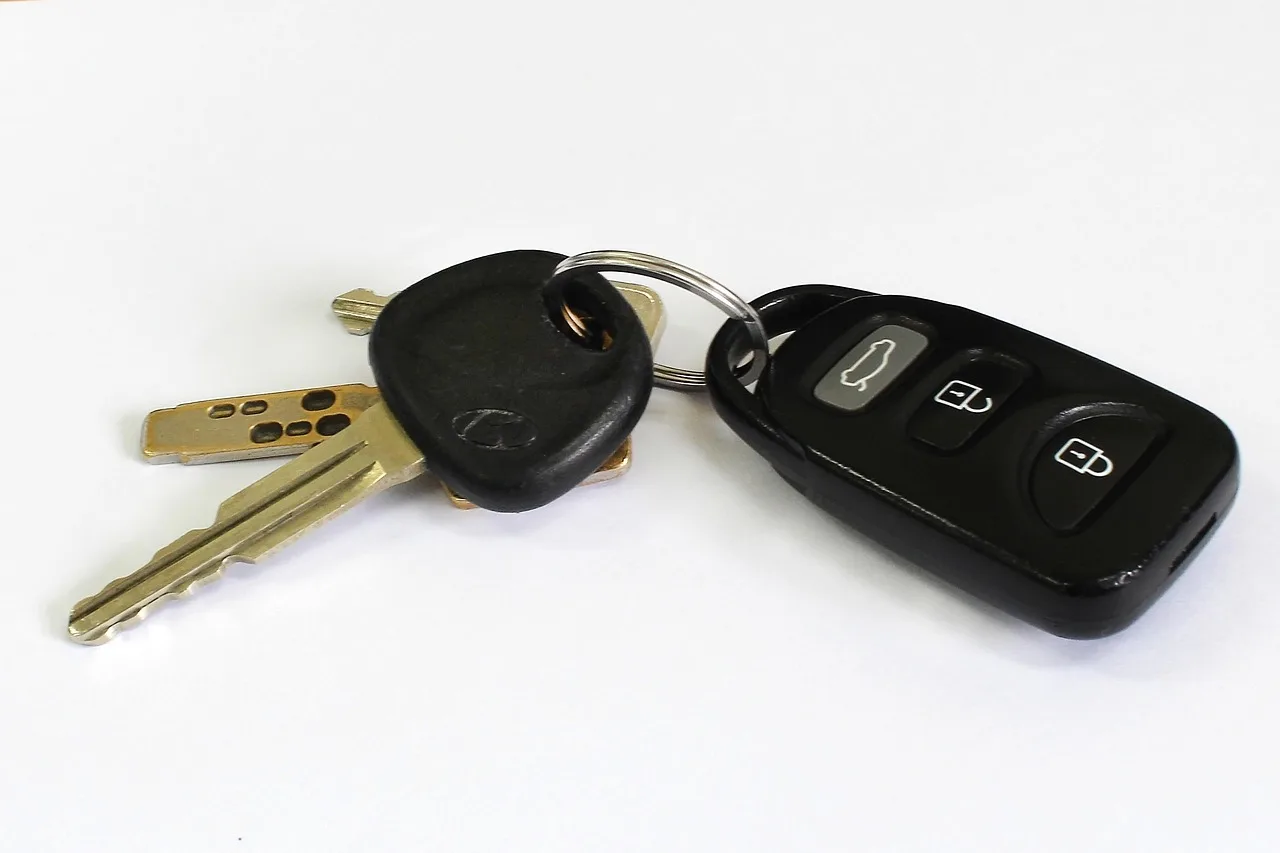
The standard key has four buttons and a removable blade. The blade is for the driver door if the buttons fail or the battery is dead. A weak battery may still leave some functions working for a while, so partial failures can happen.
What you’ll need
- A spare key, if available
- A fresh coin-cell battery for the key fob
- A clean cloth for handling the key
- The owner’s manual or Volvo support page for your model year
- Access to the driver door and the cabin
- A nearby second location to compare the symptom, if possible
XC90 key decision tree
Use the symptom pattern first. That usually tells you whether you are dealing with battery loss, RF interference, a vehicle-side reader problem, or a key that needs dealer attention. One test should not be treated as proof by itself.
| Symptom | Likely cause | Quick test | Owner-safe fix | Service-needed flag |
|---|---|---|---|---|
| “Key not found” message | Weak fob battery, interference, or passenger-compartment detection issue | Hold the key at the cupholder or center console area and try start again | Replace the key battery, remove nearby electronics, and retry in a different location | Yes, if both keys fail in the same way |
| Remote buttons dead | Dead key battery or key hardware fault | Stand close to the car and press the button twice | Replace the battery; if no buttons work after that, use the blade and get the key checked | Yes, if battery replacement does not restore function |
| Passive start works intermittently | Weak battery, interference, or intermittent reader issue | Try the same key in a second location away from buildings and metal objects | Swap the battery and retest away from phones, tablets, laptops, and chargers | Yes, if the symptom remains after battery and location changes |
| One key works and another does not | Bad battery in one key, worn key hardware, or a key that needs programming | Compare both keys in the same spot, one after the other | Replace the weak key battery first; if only one key still fails, schedule service | Yes, for the failed key if battery swap does not help |
| Recognition fails only at one location | RF interference from radio waves, buildings, terrain, or nearby electronics | Test the same key at another address or open area | Move the key away from metal objects and electronics, then retry elsewhere | No, unless the car fails in every location |
Why is my Volvo XC90 not recognizing the key?
Most XC90 key failures come down to four causes: the key battery is weak, something nearby is blocking radio signals, the car is not reading the key inside the cabin, or the key itself has a fault. The fastest separator is whether both keys fail, or only one key fails in one place.
Start with the symptom. If the buttons are dead from a normal standing distance, battery loss is more likely. If the buttons work but the car will not start, the problem is more likely passive recognition in the cabin, interference, or a vehicle-side reader issue.
If that didn’t work, try this next
- Move the key closer. Put the key in the front cupholder or the area Volvo specifies for passive recognition, then try starting again. If the car sees the key there but not in a pocket, the key battery is probably weak.
- Remove nearby electronics. Put phones, tablets, laptops, and chargers away from the key, then retry. Volvo warns that these items can interfere with key functions, along with metal objects, buildings, terrain, and radio waves.
- Compare the spare key. Use the second key in the same spot to see whether the other key behaves differently. If one key works and the other does not, the failed key is the problem until proven otherwise.
Say your XC90 opens from the driveway but shows “key not found” only when you sit inside. That pattern points away from the remote buttons and toward passive recognition, the cabin reader, or interference inside the car.
How do you test the battery and spare key?
A weak key fob battery can cause incomplete loss of remote functions before total failure, so a battery swap is the first low-cost test. If the spare key works normally, that is the strongest clue that the original key battery or key hardware is at fault.
What to do next
- Open the key case. Use the release point on the standard key and separate the housing carefully. Avoid forcing the shell, since damaged clips can leave the key loose or unreliable.
- Replace the battery. Fit a fresh battery of the same type and polarity, then close the case fully. If the key is the four-button standard key, confirm the blade and buttons sit correctly after reassembly.
- Retest both keys. Stand near the car, then try unlock, lock, and start with the repaired key and the spare key in the same location. A clean before-and-after comparison matters more than a single result.
If both keys fail after a fresh battery, the problem is less likely to be the battery itself and may be elsewhere in the system. That is the point to suspect the vehicle side, the key’s internal electronics, or a programming issue that needs Volvo support.
A common first-timer mistake is replacing the battery and then testing from across a parking lot. Button range can be longer than passive start range, so a key that still reacts at distance may still fail to let the car start inside.
How do I open a Volvo XC90 key fob?
The standard key opens at its release point, and the shell separates so you can reach the replaceable battery. Handle it over a table or soft cloth. That reduces the chance of losing the cover, battery, or blade while you inspect the key.
Step-by-step opening
- Release the shell. Press the key’s release feature and separate the cover as directed in the owner’s manual. Do not pry near the buttons with metal tools.
- Lift the battery side. Open only far enough to reach the coin-cell battery. Check the orientation before removing it so the replacement goes back the same way.
- Close and confirm fit. Snap the cover back on and press each button once. A loose shell can make an otherwise good key feel dead.
How do I use the metal key blade on a Volvo XC90?
The removable blade is for the driver door when the buttons fail or the battery is dead. It gives you backup entry and gets you inside the vehicle without waiting for remote functions to recover.
Use the blade for entry
- Remove the blade. Open the standard key and slide out the metal blade.
- Open the driver door. Insert the blade into the driver door lock and turn it to open the door.
- Start with the key inside. Once inside, place the key where the vehicle can recognize it and try to start the car.
Suppose the remote buttons are dead after the key sits near a laptop charger overnight. The blade still lets you open the door, but it will not fix the battery. It only gets you past the lockout.
When should you use the manual blade or contact Volvo service?
Use the blade when you need entry and the battery is dead or the buttons fail. Contact authorized Volvo service when replacement key ordering, programming, or vehicle-side diagnostics are needed, especially if both keys fail or the problem repeats in every location.
Escalation ladder
- Try a battery swap. If the key has a replaceable battery, replace it first and retest.
- Test the spare key. If the spare works, the original key likely needs service or replacement.
- Book Volvo service. If neither key is recognized, or if one key still fails after a battery swap, order a replacement key or diagnosis through a dealer or authorized Volvo service.
Owners can order extra keys through a dealer or authorized Volvo service. That is the right path when a key is lost, a key will not retain normal function after a battery change, or programming is required.
Keep the key away from phones, tablets, laptops, chargers, and metal objects when it is stored in a bag or pocket. That lowers the chance of repeat interference.
Common mistakes
Most false alarms come from testing the wrong symptom, the wrong place, or the wrong key. A key that fails only inside a garage can still be healthy. A battery that still opens the doors can still be too weak for reliable passive start.
- Testing only one key and assuming the car is at fault.
- Replacing the battery but not checking the spare key in the same location.
- Ignoring interference from electronics, chargers, or nearby metal.
- Using the blade once, then forgetting that the key still needs battery or programming attention.
- Assuming remote button response proves passive start will work.
Frequently asked questions
What does Volvo vehicle key not found mean?
It means the car is not detecting a valid key where it expects one for starting. Place the key in the passenger compartment recognition area and try again. If the message stays after a battery swap and a second key test, the vehicle side needs diagnosis.
Why does my Volvo key not work sometimes?
Intermittent function usually points to a weak battery or RF interference. Test the key in a second location, away from phones, tablets, laptops, chargers, buildings, and metal objects. If it still drops out, compare it with the spare key.
Can a weak key fob battery cause key not recognized?
Yes. A weak battery can leave remote buttons partly working while passive recognition becomes unreliable. Replace the battery first, then retest from inside the cabin. If the car still will not detect the key, the issue has likely moved beyond the battery.
When does a Volvo XC90 key need replacement or programming?
Replacement or programming is needed when a key still fails after a battery change, when one key works and the other does not, or when the key is lost. Use authorized Volvo service for ordering and vehicle-specific guidance, since the car must accept the new key correctly.